

View Source Code
Browse the complete example on GitHub
What’s inside?
The SloganApp showcases:- Single-turn Generation - Generate creative output without maintaining conversation context
- Traditional Android Views UI - Implementation using XML layouts and View-based architecture
- On-device Processing - Complete privacy with local model inference
- Simple Integration - Minimal setup for focused AI tasks
- Product-focused Prompting - Optimized prompts for marketing and slogan generation
Environment setup
Before running this example, ensure you have the following:Android Studio Installation
Android Studio Installation
Download and install Android Studio (latest stable version recommended).Make sure you have:
- Android SDK installed
- An Android device or emulator configured
- USB debugging enabled (for physical devices)
Minimum SDK Requirements
Minimum SDK Requirements
This example requires:
- Minimum SDK: API 24 (Android 7.0)
- Target SDK: API 34 or higher
- Kotlin: 1.9.0 or higher
LeapSDK Dependency Setup
LeapSDK Dependency Setup
Add the LeapSDK to your app-level
build.gradle.kts:How to run it
Follow these steps to generate product slogans:-
Clone the repository
-
Open in Android Studio
- Launch Android Studio
- Select “Open an existing project”
- Navigate to the
SloganAppfolder and open it
-
Gradle sync
- Wait for Gradle to sync all dependencies
- Resolve any dependency conflicts if prompted
-
Run the app
- Connect your Android device or start an emulator
- Click “Run” or press
Shift + F10 - Select your target device
-
Generate slogans
- Enter a product name or description in the input field
- Tap the “Generate Slogan” button
- Watch as the AI creates creative marketing copy on-device
- Generate multiple variations by tapping again
Usage examples
Try generating slogans for different products: Example 1: Technology ProductUnderstanding the architecture
Traditional Android Views Approach
Unlike examples that use Jetpack Compose, SloganApp demonstrates integration with the traditional Android View system: XML Layout Structure:Single-turn Generation Pattern
This example demonstrates single-turn generation, where:- Each request is independent (no conversation history)
- The model generates a complete response in one go
- No need to manage conversation state or context
- Ideal for focused tasks like slogan generation, summarization, or classification
Model Selection
The app uses LFM2-700M, a lightweight model that balances:- Speed - Fast generation for responsive UI
- Quality - Creative and coherent slogans
- Size - Smaller footprint suitable for mobile devices
- Efficiency - Lower memory and battery consumption
Results
The SloganApp provides instant slogan generation directly on your Android device: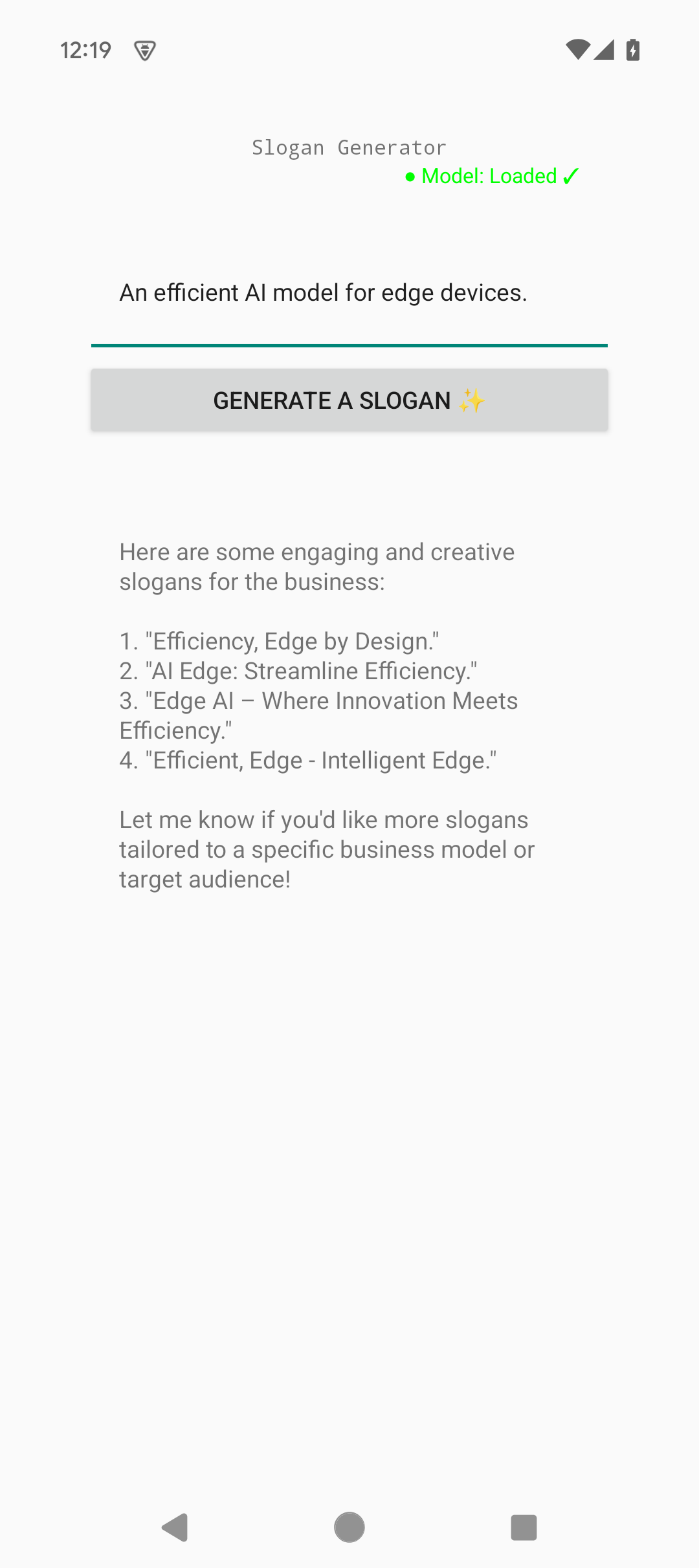 The interface shows:
- Clean, simple UI with Material Design components
- Instant feedback with loading states during generation
- Generated slogans displayed with italic styling for emphasis
- Ability to regenerate for multiple creative options
Further improvements
Here are some ways to extend this example:- Multiple variations - Generate 3-5 slogan options at once for comparison
- Style selection - Let users choose tone (professional, playful, luxury, etc.)
- Length control - Add options for short taglines vs. longer slogans
- History tracking - Save generated slogans with timestamps and product names
- Share functionality - Export slogans via Android’s share intent
- Copy to clipboard - One-tap copy for easy paste into marketing materials
- Language support - Generate slogans in multiple languages
- Industry templates - Pre-configured prompts for different industries (tech, food, fashion)
- A/B testing mode - Compare multiple AI-generated options side-by-side
Need help?
Join our Discord
Connect with the community and ask questions about this example.